 PhoneRepair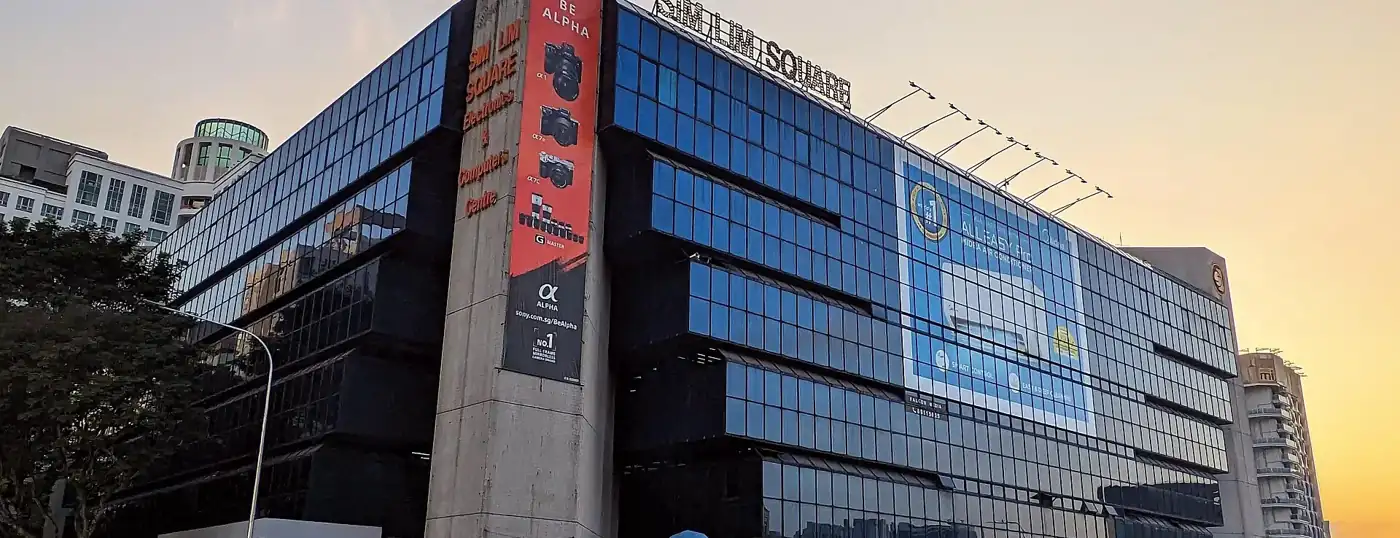

Where can I get my phone repaired in Sim Lim Square?
We list 7 verified phone repair shops in and around Sim Lim Square. The most common services listed are battery replacement, charging port repair, motherboard / board-level repair. Shops include Atomware - Mobile Repair Singapore, FlashmanFix. Always confirm the price, parts quality and warranty with the shop before handing over your phone.
Map data © OpenStreetMap contributors (ODbL); tiles by OpenFreeMap © OpenMapTiles; addresses & coordinates from OneMap (SLA).
7 verified shops
Atomware - Mobile Repair Singapore
FlashmanFix
Mobile Hardware
RepairAdvice.SG
Gadget Affair
MACWIN TECHNOLOGY PTE LTD
Techparadise Pte Ltd
Guide to phone repair in Sim Lim Square
Last updated · based on 7 verified listings
Sim Lim Square has 7 phone repair shops in our directory, which makes it one of the better-served parts of Singapore. Across these shops the most common services are battery replacement, charging port repair, motherboard / board-level repair and screen replacement, and 4 also take on water-damaged phones. The brands mentioned most often are iPhone, Samsung, iPad, OPPO and Xiaomi. None of them is an official brand service centre, so check your manufacturer warranty first if your phone is still covered.
Getting there
The closest MRT stations are Rochor (DTL), Bugis (EWL/DTL) and Little India (NEL/DTL). Buildings with repair shops include Sim Lim Square (5) and Burlington Square (2). 5 shops list a phone number and 7 have a website. Call ahead to check the part is in stock, as many shops order parts for less common models.
Repair tips
Battery replacement: Check your battery health first (iPhone: Settings › Battery › Battery Health; most Android phones show it under Battery or Device care). A swap is usually worth it below about 80% capacity. Ask for the battery's capacity rating and brand, and whether the warranty covers swelling.
Charging port repair: Many "broken" ports are simply blocked with pocket lint, so ask the shop to inspect and clean it first. If the port is replaced, test fast charging and data transfer with your own cable before leaving.
Motherboard / board-level repair: Board-level (micro-soldering) repair fixes faults such as no power, no signal or boot loops. It is skilled work, so ask whether the technician repairs on-site, how long diagnosis takes and whether there is a fee if the board cannot be fixed.
iPhone: If your iPhone is under Apple warranty or AppleCare+, check Apple's own Singapore repair options first, because third-party repairs can affect coverage. Since iOS 15.2, iPhones show "Parts and Service History" in Settings › General › About, so you can see afterwards whether genuine parts were used.
Samsung: Galaxy phones with curved or foldable screens are more expensive to fix. Samsung runs its own Singapore service centres, and its website lists official repair costs by model, which is a useful benchmark before asking independent shops.
Before you go: checklist
- Back up your phone (iCloud, Google One or a computer) and note your passcode; some repairs need a reset or a test unlock.
- Bring your ID or proof of purchase if you are claiming a warranty, and any original box or receipt for a service centre visit.
- Ask for a written quote that names the part grade (original, refurbished original or compatible) and the warranty period.
- Test the phone in the shop: touch, cameras, speakers, microphone, charging, Wi-Fi, mobile data and biometrics.
- Keep the receipt. It is your proof for any warranty claim later.
Typical repair times
Typical turnaround times that Singapore repair shops commonly quote (general guidance, not a promise from any listed shop; parts availability changes this):
- Battery replacement: 30 minutes to 1 hour
- Charging port repair: 1 to 3 hours
- Motherboard / board-level repair: 2 to 10 working days
- Screen replacement: 30 minutes to 2 hours
- Water damage repair: 1 to 5 working days
Genuine parts and warranty
Ask which grade of part is being fitted and get the warranty in writing. Independent shops in Singapore often give a warranty of a few weeks to a few months on parts; brand service centres follow the manufacturer's terms. Under the Consumer Protection (Fair Trading) Act, you can complain to CASE if a shop misleads you.
Frequently asked questions
How many phone repair shops are in Sim Lim Square?
We list 7 verified shops in Sim Lim Square as of 2026-10-20. Only shops with at least three facts confirmed from their own website, OpenStreetMap or OneMap are listed.
What repairs do shops in Sim Lim Square offer?
The services listed most often are battery replacement (5 shops), charging port repair (4 shops), motherboard / board-level repair (4 shops) and screen replacement (4 shops).
Which phone brands can be repaired in Sim Lim Square?
Shops here mention iPhone (6), Samsung (5), iPad (3), OPPO (3), Xiaomi (3) and Huawei (2). Call to confirm parts for your exact model.
Which MRT station is nearest?
Rochor (DTL), Bugis (EWL/DTL) and Little India (NEL/DTL).
How long does battery replacement take?
Shops commonly quote 30 minutes to 1 hour for battery replacement, depending on the model and whether the part is in stock. Ask for an estimate before you leave the phone.
How do I know genuine parts were used?
Ask for the part grade in writing. On iPhones, Settings › General › About › Parts and Service History shows whether a part is genuine. Keep the receipt for any warranty claim.